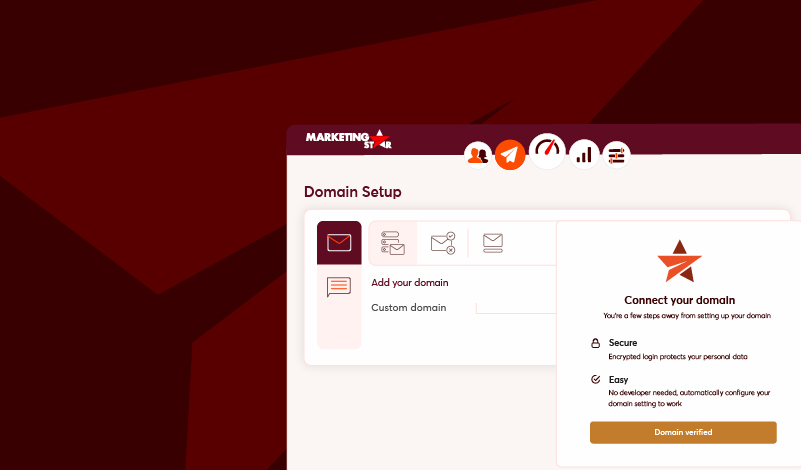
Marketing Star’s new automated email domain authentication feature simplifies and speeds up the process of verifying and authenticating your email domains. In under 5 minutes, your domain is verified without needing technical support or IT involvement, saving you valuable time and improving email deliverability. This automation removes manual steps, allowing you to focus on growing your campaigns.
Key Benefits
Automatic DNS Record Retrieval
With Domain Automation, once you add your domain, Marketing Star automatically generates and provides the necessary SPF, DKIM, and DMARC records. No guesswork, no manual errors.
Improved Email Deliverability
Authentication ensures that your messages reach inboxes, not spam folders. Domain Automation ensures these settings are applied correctly to maximize your sender reputation.
End-to-End Guided Setup
Our step-by-step process makes the entire experience smooth and stress-free
Time-Saving Configuration
No need to wait days for DNS changes. Our system verifies records automatically, ensuring faster campaign setup and deployment.
How Domain Authentication Automation Works
Steps to Configure a Domain
Access Channel Settings
- Under the Preferences Module, go to Settings
- Select Channel Settings, then choose Email and the SMTP option.
Add a New Domain
- Click the Add (+) Icon to open the Add Domain page
- Enter your custom domain and click Validate.
Validate the Domain
- After validation, an Authoring Page appears. Click Continue
- The system analyzes the domain and extracts provider details.
Authenticating and Configuring the Domain
Steps for Authentication
- Enter your domain provider’s credentials
- Receive and enter the OTP sent to your registered email or phone.
- Click Continue for successful authentication
After Authentication:
- A Success Page confirms the process.
- The domain status shows In Progress on the Listing Page
Verifying and Finalizing the Domain
- Wait for the verification process to complete
- The status changes to Verified once the domain is ready
- Receive a confirmation email to finalize the setup.
Get Started Today
Take Control of Your Email Deliverability
Stop wasting time on manual domain verification. With Marketing Star’s automated solution, you ensure your email campaigns reach the right inbox every time.