
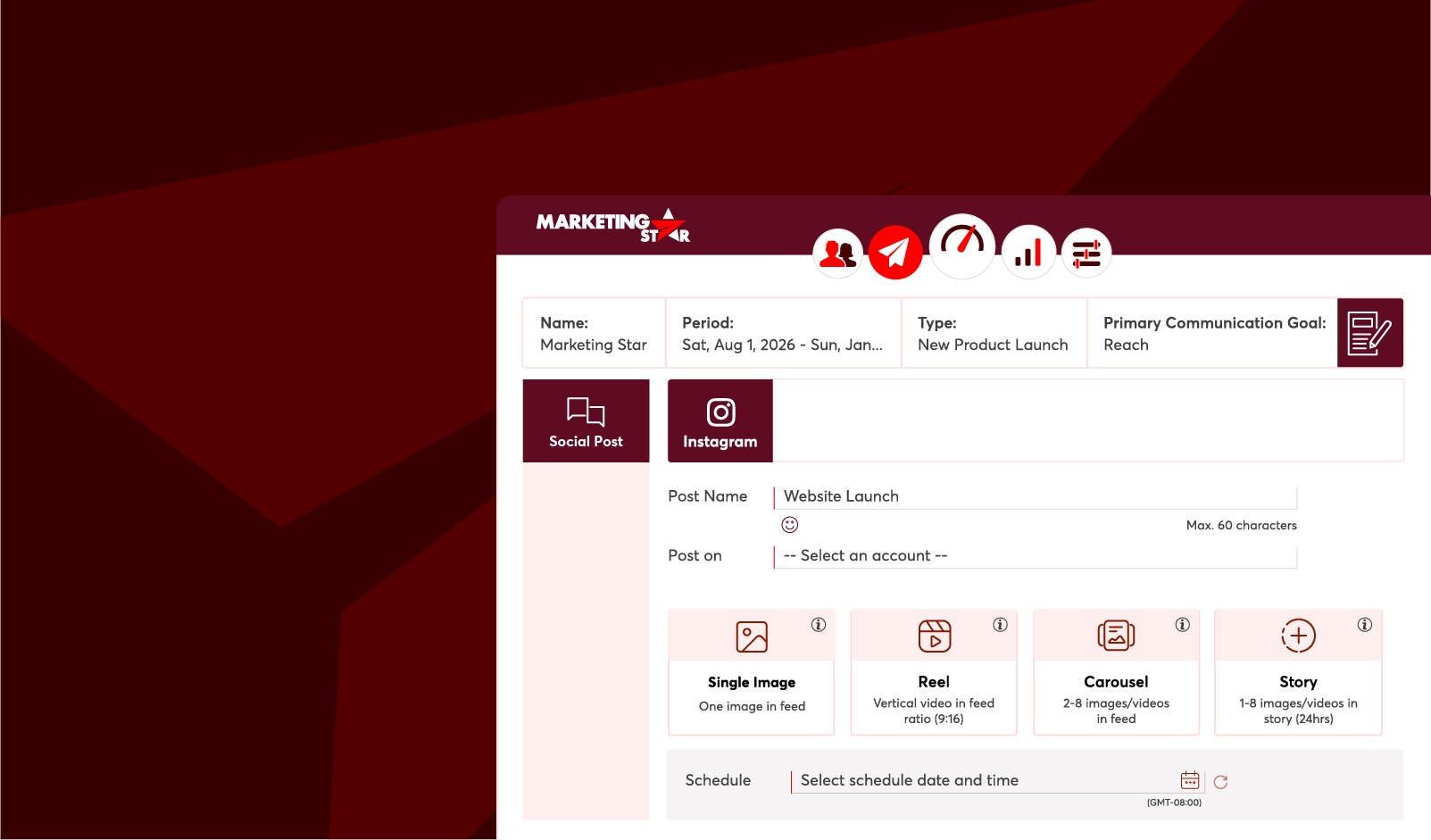
Manage, publish, and analyze your Instagram campaigns all from one place.
Marketing Star now connects directly to Instagram Business Accounts, giving marketing teams a single home for planning, publishing, and measuring Instagram content. Once an account is connected, there's no more switching between apps to get a campaign live — create the post, set the schedule, and let Marketing Star handle the rest.
The integration supports Single Image Posts, Reels, Carousel Posts, and Stories, and every published post feeds straight into the Reports module so performance is visible alongside the rest of your campaign data.
A multi-frame, swipeable format combining images and videos in a single post — ideal for product showcases, campaign storytelling, and educational content.
A standalone image published straight to the Instagram feed, well suited to promotions, announcements, and brand awareness moments.
Temporary image or video content that stays live for 24 hours — a natural fit for time-sensitive promotions and quick engagement pushes.
Short-form vertical video that appears in both the Feed and the Reels tab, built to extend reach beyond your existing followers.
Every Instagram post published through Marketing Star is automatically tracked in the Reports module for the life of the communication, so there's no need to log into Instagram separately to check how content is performing.
| Metric Category | What You'll See |
|---|---|
| Reach & Views | How many people saw your content, and how often it was displayed. |
| Likes & Comments | Direct audience reactions and conversation on each post. |
| Shares, Saves & Reposts | Shows that people liked your content enough to share it with others, save it for later, or repost it on their own profile. |
| Engagement Rate | A blended score showing overall audience interaction relative to reach. |
Metrics refresh automatically every 2 hours, giving teams a near real-time read on audience engagement to guide campaign optimization and future content decisions.
Get started in just a few steps:
Go to Marketing Star Settings and connect your Instagram Business Account. Complete the authorization and profile sync by following Meta's official guidance.
Choose a content type — Carousel Post, Single Image Post, Story, or Reel — and build it directly within Marketing Star.
Publish immediately, or set a future date and time. A minimum 4-hour gap between scheduled posts is recommended for best results.
Monitor Reach, Engagement Rate, and more from the Reports module, automatically updated throughout the campaign.


